Customize your Fritzbox to allow traffic-shaping
Updated 07.05.2012. Sometime in 2010 I’ve had patched the freetz source to add mainly two schedulers (cbq, htb), the u32 filter and a working tc (traffic control) binary. Those are common for QoS in Linux for throttle or managing your bandwidth on a special source/destination addresses, ports, ip protocols or any firewall marks. Time has passed and most of my changes where added to the 1.2 branch and others have added different filters. Here you can get my recent patch and compiled firmware images:
-
the corresponding freetz-1.2_rc2.patch files (usage is in the comments).
-
the kernel config file for this precompiled image (english). Should work for everyone. I’ve enabled dropbear (ssh), nfs, ntfs, ext3, fat32, network scheduler (cbq, htb, llq, sfq, prio), network filters (u32, fw) and for iptables (conntrack, xt_mark, masquerade, mangle, filter).
-
my build freetz image for the FritzBox 7270 v3 (english) Contains freetz 1.2_rc2 and the avm firmware 74.04.90.
-
the avm firmware itself, Fritzbox 7270 v3 - 74.04.90 (english).
-
the kernel config file for this precompiled image (german). It should work for everyone. I’ve enabled dropbear (ssh), nfs, ntfs, ext3, fat32, network scheduler (cbq, htb, llq, sfq, prio), network filters (u32, fw) and for iptables (conntrack, xt_mark, masquerade, mangle, filter).
-
my build freetz image for the FritzBox 7270 v3 (german) Contains freetz 1.2_rc2 and the avm firmware 74.04.88.
-
the avm firmware itself, Fritzbox 7270 v3 - 74.04.88 (german)
My changes are currently only the addition of a proper working tc to the build script and some filters. You need to compile your own tc for a working filtering. If you use the pre-installed version from AVMs, you get a message like:
root@fritz:/var/mod/root# tc filter add dev ath0 parent 1:0 protocol ip u32 matc
h ip dst 192.168.0.21/32 classid 1:10
Unknown filter "u32", hence option "match" is unparsable
even if you’ve loaded the proper kernel module.
Example Usage On Traffic Shaping
Okay, that’s it. Now some notes to QoS, traffic shaping, and networking with Linux in general:
-
First, add a qdisc with tc:
#tc **qdisc** add dev ath0 root handle 1:0 htbqdisc (queueing discipline) is elementary to understanding traffic control. Whenever the kernel needs to send a packet to an interface, it is enqueued to the qdisc configured for that interface. Immediately afterwards, the kernel tries to get as many packets as possible from the qdisc, for giving them to the network adaptor driver. We use classful htb in this script. The htb qdisc, or hierarchical token bucket, is a classful shaping qdisc. It packs a lot of flexibility and has numerous options available. It calculates reasonable default values for anything you do not specify, which is generally fine. And it’s a lot easier to use than cbq.
-
Now, add a parent class and set your bandwidth limits:
#tc **class** add dev ath0 parent 1: classid 1:1 htb rate **7mbit** ceil 7mbitClassful qdiscs contain classes which allows us to set rate limits. Class 1:1 is the root class here
-
Specify the child classes for your hosts, or groups of hosts:
 #tc class add dev ath0 parent 1:1 classid **1:10** htb rate **1512kbit** ceil 7mbit
 #tc class add dev ath0 parent 1:1 classid **1:11** htb rate **4mbit** ceil 7mbit
 #tc class add dev ath0 parent 1:1 classid **1:12** htb rate **2mbit** ceil 7mbit
This is the leaf class 1:10 attached to the root class 1:1. Shaping can be done in the leaf class not in the root class. In this example of leaf classes, we allocate 1512kbit,4mbit and 2mbit of bandwidth to each class respectively. rate: guaranteed (minimum bandwidth) which can be exceeded. ceil: burstable (maximum bandwidth) which cannot be exceeded
-
Now add a handle with fw marks. We can tell iptables and thus the kernel to mark special packets (like all packets that go or come from a defined host).
 #tc **filter** add dev ath0 protocol ip parent 1:0 prio 1 handle **2** fw classid 1:10
 #tc **filter** add dev ath0 protocol ip parent 1:0 prio 1 handle **3** fw classid 1:11
 #tc **filter** add dev ath0 protocol ip parent 1:0 prio 1 handle **4** fw classid 1:12
We use filters to classify the packets into an output queue and attached it to our classful htb class. What the fw handle means will be meaningful in the rest of the example.
-
Add a queueing. We use sfq here:
 #tc qdisc add dev ath0 parent 1:10 handle 10: sfq quantum 1500b perturb 10
 #tc qdisc add dev ath0 parent 1:11 handle 11: sfq quantum 1500b perturb 10
 #tc qdisc add dev ath0 parent 1:12 handle 12: sfq quantum 1500b perturb 10
SFQ (Stochastic Fairness Queueing) is added to each of the HTB queues and it offers equality for limiting traffic while keeping the overhead low. quantum: Amount of bytes a flow is allowed to dequeue during a round of the round robin process. Defaults to the MTU of the interface which is also the advised value and the minimum value. This is what manual says but I have seen that default value is assigned as 814. So maybe it is better to set it to 1500. perturb: Interval in seconds for queue algorithm perturbation. Defaults to 0, which means that no perturbation occurs. Do not set too low for each perturbation may cause some packet reordering. Advised value: 10.
-
Now add the fw marks to the proper packets using iptables. We use hosts here, you can also use -sport (source port), -dport to specify a desired port:
 #iptables -t mangle -A POSTROUTING **\-s** 192.168.1.21/32 -j MARK --set-mark **2**
 #iptables -t mangle -A POSTROUTING **\-d** 192.168.1.21/32 -j MARK --set-mark 2

 #iptables -t mangle -A POSTROUTING -s 192.168.1.31/32 -j MARK --set-mark **3**
 #iptables -t mangle -A POSTROUTING -d 192.168.1.31/32 -j MARK --set-mark 3

 #iptables -t mangle -A POSTROUTING -s 192.168.1.32/32 -j MARK --set-mark **4**
 #iptables -t mangle -A POSTROUTING -d 192.168.1.32/32 -j MARK --set-mark 4
In this script we direct hosts having IP addresses 192.168.1.21,31,32 into different classes each of which has different rate. Important thing is that ath0 interface is the inner interface of the Fritzbox. For example if host 192.168.111.2 is downloading a file from a remote host, ath0 becomes an egress interface for the packets coming from the remote host. If we want to limit what these hosts send another qdisc for adsl (outside interface) and root,child classes must be added. Graphically, it would look like this:
                                 +-----------+
                                 |    Root   |
                                 |   7Mbit   |
                                 +-----------+
                                       |
                                       |
          +----------------------------------------------------------+
          |                            |                             |
   +----------------+           +-----------------+           +---------------+
   | Customer 1     |           | Customer 2      |           | Customer 3    |
   |    1,5Mbit     |           |    4Mbit        |           |    2Mbit      |
   +----------------+           +-----------------+           +---------------+
More On iptables:
Take a look here for more information about queues, the filter options and classes. You get information about using tc and the u32 selector, using the netfilter CLASSIFY target and also about the different qdiscs like htb, cbq (classfull), sfq and prio (classless). Thanks for giving thoughts on creating this example here.
Example Output From A AVM! Fritzbox 7270v3:
Some output from the example above running on my FB 7270v3:
 $ ssh root@192.168.1.1
root@192.168.1.1's password:
   __  _   __  __ ___ __
  |__ |_) |__ |__  |   /
  |   |\  |__ |__  |  /_

   The fun has just begun ...


BusyBox v1.18.5 (2012-05-06 21:01:18 MDT) built-in shell (ash)
Enter 'help' for a list of built-in commands.

root@fritz:/var/mod/root# uname -a
Linux fritz.fonwlan.box 2.6.19.2 #2 Thu Nov 18 16:35:17 CET 2010 mips GNU/Linux
root@fritz:/var/mod/root# modprobe sch_htb
root@fritz:/var/mod/root# modprobe sch_cbq
root@fritz:/var/mod/root# modprobe sch_prio
root@fritz:/var/mod/root# modprobe cls_u32
root@fritz:/var/mod/root# modprobe cls_fw
root@fritz:/var/mod/root# modprobe iptable_mangle
root@fritz:/var/mod/root# modprobe xt_MARK
root@fritz:/var/mod/root# modprobe xt_mark
root@fritz:/var/mod/root# tc qdisc add dev adsl root handle 1:0 htb
root@fritz:/var/mod/root# tc class add dev adsl parent 1: classid 1:1 htb rate 7mbit ceil 7mbit
root@fritz:/var/mod/root# tc class add dev adsl parent 1:1 classid 1:10 htb rate 5mbit ceil 7mbit
root@fritz:/var/mod/root# tc class add dev adsl parent 1:1 classid 1:11 htb rate 1mbit ceil 5mbit
root@fritz:/var/mod/root# tc filter add dev ath0 protocol ip parent 1:0 prio 1 handle 2 fw classid 1:10
root@fritz:/var/mod/root# tc filter add dev ath0 protocol ip parent 1:0 prio 1 handle 3 fw classid 1:11
root@fritz:/var/mod/root# tc qdisc add dev ath0 parent 1:10 handle 10: sfq quantum 1500b perturb 10
root@fritz:/var/mod/root# tc qdisc add dev ath0 parent 1:11 handle 11: sfq quantum 1500b perturb 10
root@fritz:/var/mod/root# iptables -t mangle -A POSTROUTING -s 192.168.1.21/32 -j MARK --set-mark 2
root@fritz:/var/mod/root# iptables -t mangle -A POSTROUTING -d 192.168.1.21/32 -j MARK --set-mark 2
root@fritz:/var/mod/root# iptables -t mangle -A POSTROUTING -s 192.168.1.31/32 -j MARK --set-mark 3
root@fritz:/var/mod/root# iptables -t mangle -A POSTROUTING -d 192.168.1.31/32 -j MARK --set-mark 3

root@fritz:/var/mod/root# iptables -L -v -n -t mangle
Chain PREROUTING (policy ACCEPT 972 packets, 163K bytes)
 pkts bytes target     prot opt in     out     source               destination

Chain INPUT (policy ACCEPT 90 packets, 9157 bytes)
 pkts bytes target     prot opt in     out     source               destination

Chain FORWARD (policy ACCEPT 882 packets, 154K bytes)
 pkts bytes target     prot opt in     out     source               destination

Chain OUTPUT (policy ACCEPT 80 packets, 9218 bytes)
 pkts bytes target     prot opt in     out     source               destination

Chain POSTROUTING (policy ACCEPT 962 packets, 163K bytes)
 pkts bytes target     prot opt in     out     source               destination
  497 59308 MARK       all  --  *     *      192.168.1.21         0.0.0.0/0           MARK set 0x2
  420 99530 MARK       all  --  *     *      0.0.0.0/0            192.168.1.21        MARK set 0x2
    0     0 MARK       all  --  *     *      192.168.1.31         0.0.0.0/0           MARK set 0x3
    0     0 MARK       all  --  *     *      0.0.0.0/0            192.168.1.31        MARK set 0x3

root@fritz:/var/mod/root# tc qdisc show
qdisc pfifo_fast 0: dev cpmac0 bands 3 priomap  1 2 2 2 1 2 0 0 1 1 1 1 1 1 1 1
qdisc pfifo_fast 0: dev eth0 bands 3 priomap  1 2 2 2 1 2 0 0 1 1 1 1 1 1 1 1
qdisc pfifo_fast 0: dev wifi0 bands 3 priomap  1 2 2 2 1 2 0 0 1 1 1 1 1 1 1 1
qdisc htb 1: dev ath0 r2q 10 default 0 direct_packets_stat 48
qdisc sfq 10: dev ath0 parent 1:10 limit 128p quantum 1500b perturb 10sec
qdisc sfq 11: dev ath0 parent 1:11 limit 128p quantum 1500b perturb 10sec
qdisc pfifo_fast 0: dev dsl bands 3 priomap  1 2 2 2 1 2 0 0 1 1 1 1 1 1 1 1
qdisc pfifo_fast 0: dev adsl bands 3 priomap  1 2 2 2 1 2 0 0 1 1 1 1 1 1 1 1
You can cleary see here, that the adsl device is the outer device and ath0 the internal wifi device.
root@fritz:/var/mod/root# ifconfig -a
adsl      Link encap:UNSPEC  HWaddr 00-00-00-00-00-00-00-00-00-00-00-00-00-00-00-00
          UP POINTOPOINT RUNNING NOARP MULTICAST  MTU:2000  Metric:1
          RX packets:233247 errors:0 dropped:0 overruns:0 frame:0
          TX packets:140986 errors:0 dropped:0 overruns:0 carrier:0
          collisions:0 txqueuelen:32
          RX bytes:315767964 (301.1 MiB)  TX bytes:31354942 (29.9 MiB)

ath0      Link encap:Ethernet  HWaddr 00:24:FE:A3:A4:DF
          UP BROADCAST RUNNING ALLMULTI MULTICAST  MTU:2290  Metric:1
          RX packets:141230 errors:0 dropped:0 overruns:0 frame:0
          TX packets:233524 errors:0 dropped:0 overruns:0 carrier:0
          collisions:0 txqueuelen:1000
          RX bytes:28987383 (27.6 MiB)  TX bytes:311652335 (297.2 MiB)

cpmac0    Link encap:Ethernet  HWaddr 00:24:FE:C2:EA:24
          UP BROADCAST MULTICAST  MTU:1500  Metric:1
          RX packets:0 errors:0 dropped:0 overruns:0 frame:0
          TX packets:0 errors:0 dropped:0 overruns:0 carrier:0
          collisions:0 txqueuelen:1000
          RX bytes:0 (0.0 B)  TX bytes:0 (0.0 B)

dsl       Link encap:Point-to-Point Protocol
          inet addr:192.168.1.1  P-t-P:192.168.1.1  Mask:255.255.255.255
          UP POINTOPOINT RUNNING NOARP ALLMULTI MULTICAST  MTU:1500  Metric:1
          RX packets:205505 errors:0 dropped:0 overruns:0 frame:0
          TX packets:118918 errors:0 dropped:0 overruns:0 carrier:0
          collisions:0 txqueuelen:100
          RX bytes:275433723 (262.6 MiB)  TX bytes:22115357 (21.0 MiB)

eth0      Link encap:Ethernet  HWaddr 00:24:FE:C2:EA:24
          UP BROADCAST ALLMULTI MULTICAST  MTU:1500  Metric:1
          RX packets:0 errors:0 dropped:0 overruns:0 frame:0
          TX packets:0 errors:0 dropped:0 overruns:0 carrier:0
          collisions:0 txqueuelen:128
          RX bytes:0 (0.0 B)  TX bytes:0 (0.0 B)

guest     Link encap:Ethernet  HWaddr 00:24:FE:C2:EA:24
          inet addr:192.168.179.1  Bcast:192.168.179.255  Mask:255.255.255.0
          UP BROADCAST RUNNING ALLMULTI MULTICAST  MTU:1500  Metric:1
          RX packets:0 errors:0 dropped:0 overruns:0 frame:0
          TX packets:59 errors:0 dropped:0 overruns:0 carrier:0
          collisions:0 txqueuelen:0
          RX bytes:0 (0.0 B)  TX bytes:3002 (2.9 KiB)

lan       Link encap:Ethernet  HWaddr 00:24:FE:C2:EA:24
          inet addr:192.168.1.1  Bcast:192.168.1.255  Mask:255.255.255.0
          UP BROADCAST RUNNING ALLMULTI MULTICAST  MTU:1500  Metric:1
          RX packets:141220 errors:0 dropped:0 overruns:0 frame:0
          TX packets:206163 errors:0 dropped:0 overruns:0 carrier:0
          collisions:0 txqueuelen:0
          RX bytes:27009883 (25.7 MiB)  TX bytes:278418218 (265.5 MiB)

lan:0     Link encap:Ethernet  HWaddr 00:24:FE:C2:EA:24
          inet addr:169.254.1.1  Bcast:169.254.255.255  Mask:255.255.0.0
          UP BROADCAST RUNNING ALLMULTI MULTICAST  MTU:1500  Metric:1

lo        Link encap:Local Loopback
          inet addr:127.0.0.1  Mask:255.0.0.0
          inet6 addr: ::1/128 Scope:Host
          UP LOOPBACK RUNNING  MTU:16436  Metric:1
          RX packets:451 errors:0 dropped:0 overruns:0 frame:0
          TX packets:451 errors:0 dropped:0 overruns:0 carrier:0
          collisions:0 txqueuelen:0
          RX bytes:50335 (49.1 KiB)  TX bytes:50335 (49.1 KiB)

sit0      Link encap:IPv6-in-IPv4
          NOARP  MTU:1480  Metric:1
          RX packets:0 errors:0 dropped:0 overruns:0 frame:0
          TX packets:0 errors:0 dropped:0 overruns:0 carrier:0
          collisions:0 txqueuelen:0
          RX bytes:0 (0.0 B)  TX bytes:0 (0.0 B)

wifi0     Link encap:Ethernet  HWaddr 00:24:FE:A3:A4:DF
          UP BROADCAST RUNNING MULTICAST  MTU:1500  Metric:1
          RX packets:411881 errors:0 dropped:0 overruns:0 frame:84051
          TX packets:231626 errors:106 dropped:0 overruns:0 carrier:0
          collisions:0 txqueuelen:1000
          RX bytes:93869129 (89.5 MiB)  TX bytes:318838401 (304.0 MiB)
          Interrupt:80 Memory:c0400000-c0410000

root@fritz:/var/mod/root#
Screenshots
And for the end, some screenshots:
A screenshot of the Frtizbox Configuration Interface: 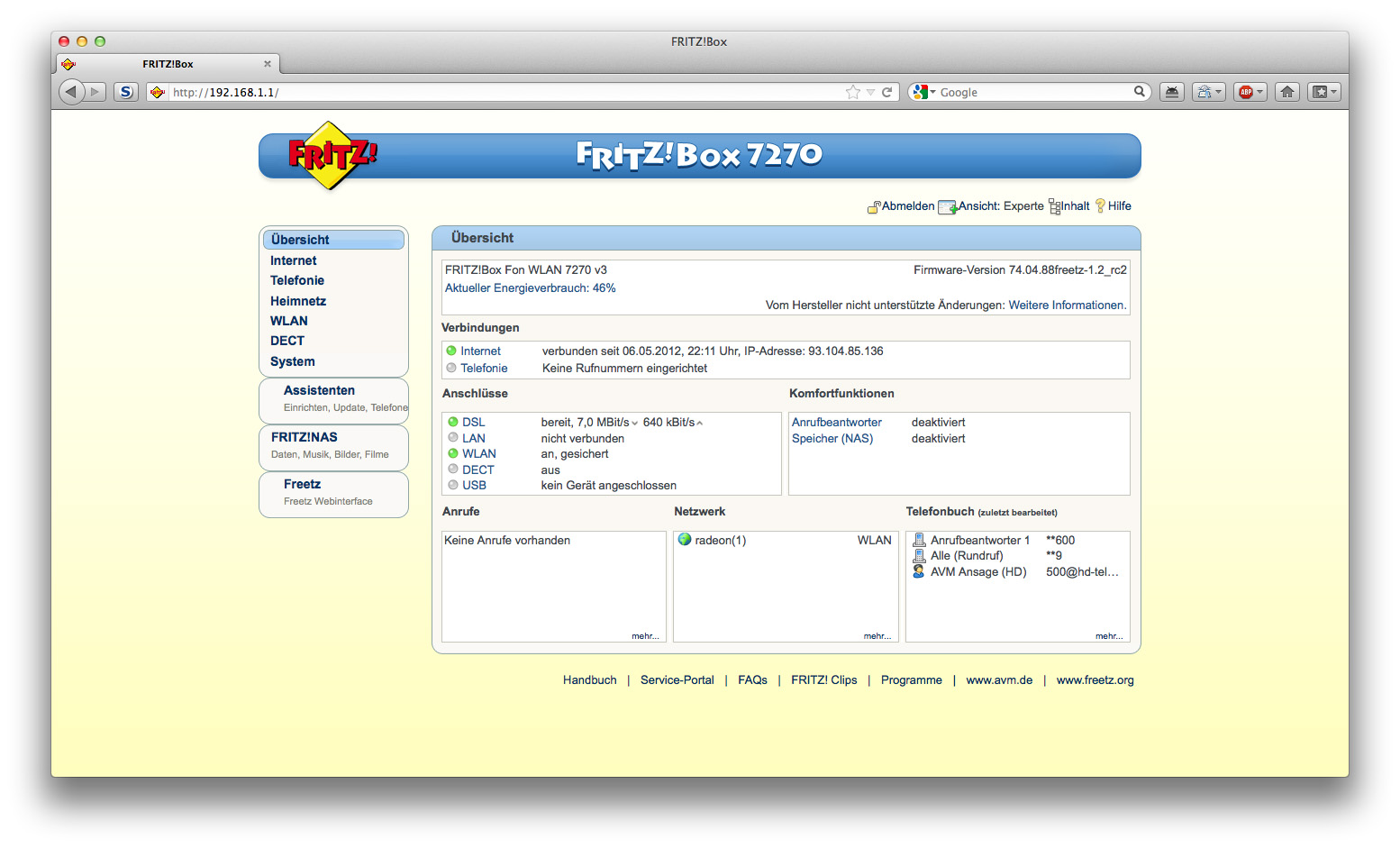
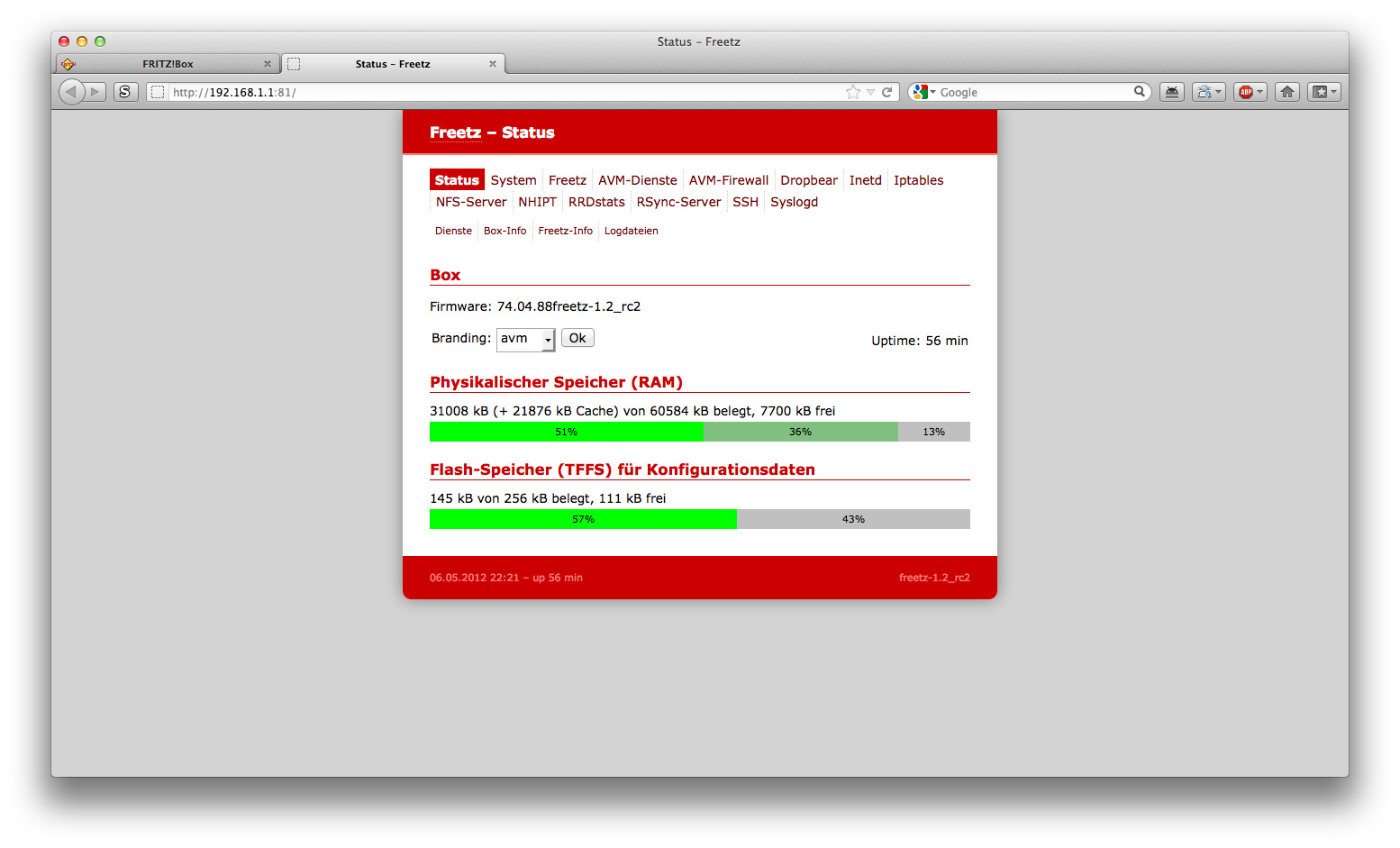
A screenshot of the Freetz Configuration Interface: