Resx Formatter
Resx Formatter
Resx Formatter is an extension that allows to define the sort order of the XML data nodes when saving a resx file. Therefore, this extension can help to mitigate merge conflicts by sorting the resx keys in a particular, well-defined order. Additionally, it’s possible to remove the XSD schema or the document comment during the sort to save space.
Shown below is an example resource file after saving:
<?xml version="1.0" encoding="utf-8"?>
<root>
  <schema />
  <resheader name="resmimetype">
    <value>text/microsoft-resx</value>
  </resheader>
  <resheader name="version">
    <value>2.0</value>
  </resheader>
  <resheader name="reader">
    <value>System.Resources.ResXResourceReader, System.Windows.Forms, Version=4.0.0.0, Culture=neutral, PublicKeyToken=b77a5c561934e089</value>
  </resheader>
  <resheader name="writer">
    <value>System.Resources.ResXResourceWriter, System.Windows.Forms, Version=4.0.0.0, Culture=neutral, PublicKeyToken=b77a5c561934e089</value>
  </resheader>
  <data name="a" xml:space="preserve">
    <value>No schema, no comment</value>
  </data>
  <data name="b" xml:space="preserve">
    <value>Data nodes sorted by name</value>
  </data>
</root>
Installation
You can install the plugin via the JetBrains Marketplace, or
alternatively use the latest resxformatter.rider.x.y.z.zip from the
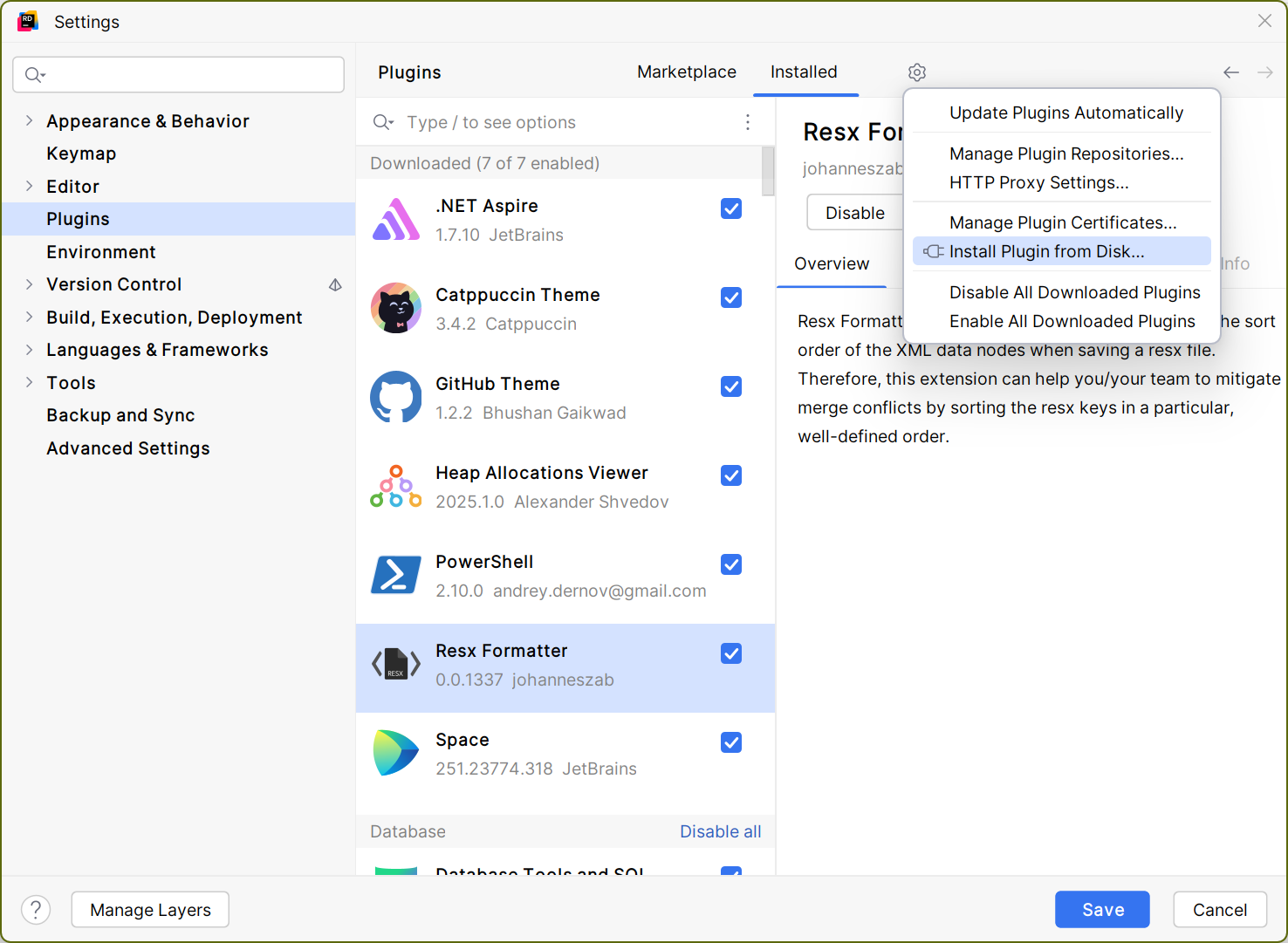
release page and install via Settings -> Plugins -> Plugin Settings Wheel -> Install Plugin from Disk... as shown below:
Usage
There are currently two modes available:
- format resx file when saved
- format resx file via context action
Format when saved
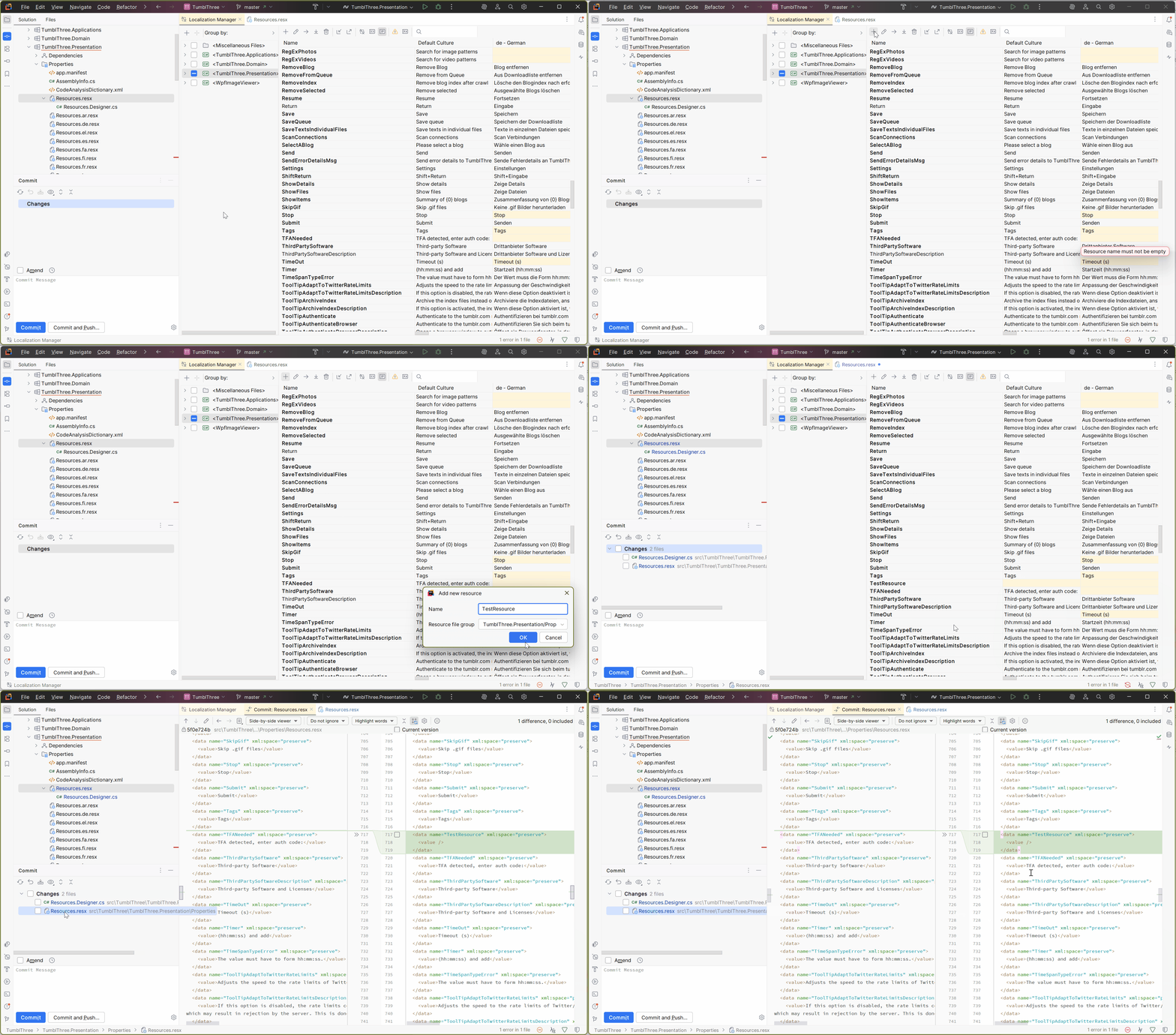
Per default, ResxFormatter sorts the XML data nodes of the resource file by StringComparison.OrdinalIgnoreCase. However, that can be changed in the settings. With this settings enabled, ResxFormatter listens for saves of .resx files in Riders virtual file system and intercepts before the save happens to sort the file. There is no user action necessary and the file will always be correctly sorted, similar to ResXManager for visual studio. The gif below shows this it in action.
Format via context action
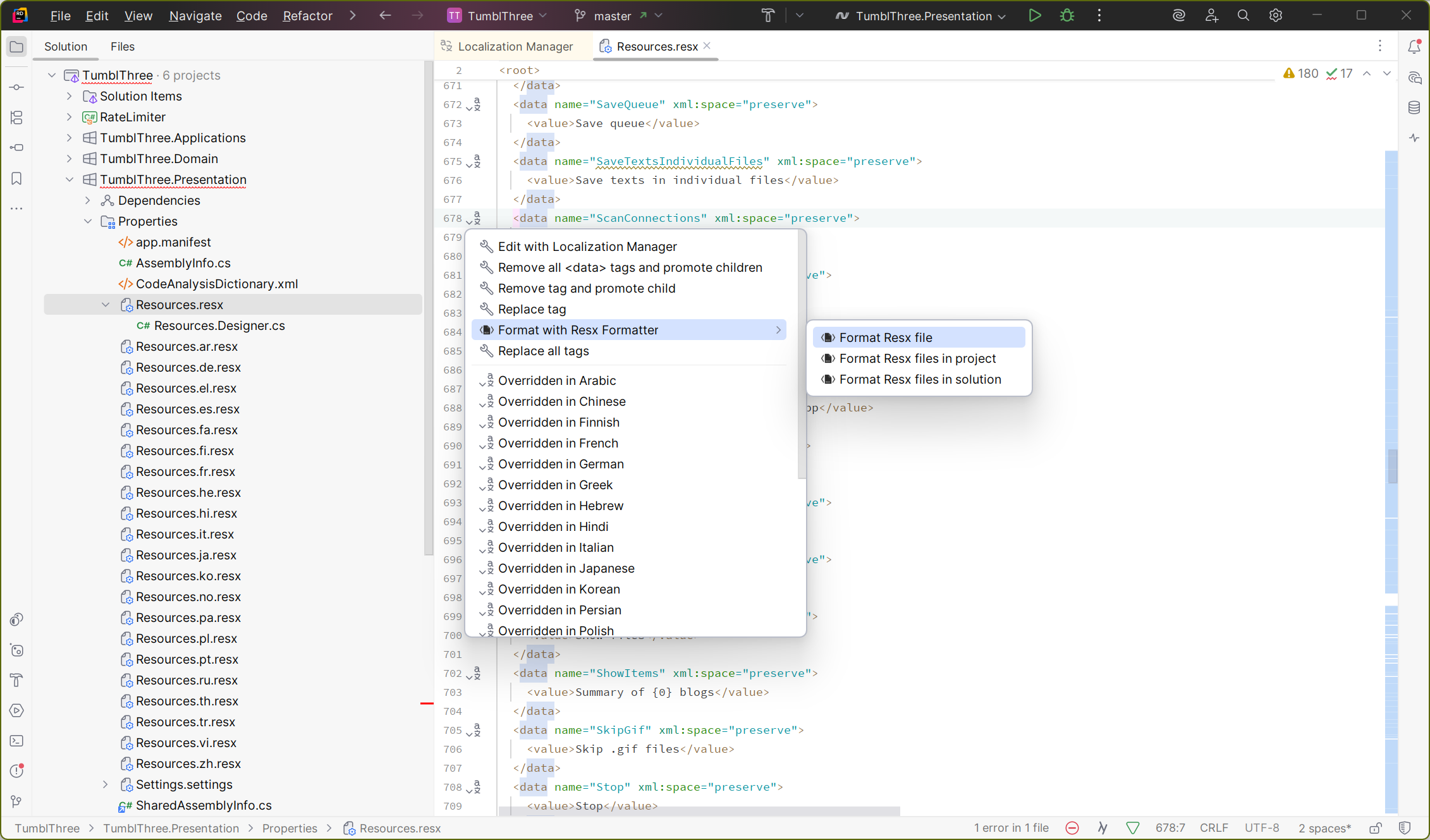
Alternatively, Resx Formatter can also be invoked via context action from the gutter within .resx files
Settings
You can disable the sort on save functionality via the settings, and share a common Settings.ResxFormatter within your vcs to share common settings between developers.

Alternatively, you can import Stefan Eglis ResXFormatter settings from the .editorconfig.
[*.resx]
resx_formatter_sort_entries=true
resx_formatter_remove_xsd_schema=true
resx_formatter_remove_documentation_comment=true
resx_formatter_sort_comparer=OrdinalIgnoreCase
Comparer can be one of the following: InvariantCulture, InvariantCultureIgnoreCase, OrdinalIgnoreCase, Ordinal. The default value is Ordinal.
How to build
To build the plugin, you need to run gradle :buildPlugin from src\ResxFormatter.Extension.Rider\. Afterwards, in
src\ResxFormatter.Extension.Rider\build\distributions you’ll find a resxformatter.rider-x.y.z.zip which can be
installed via Rider as plugin from disk.
Alternatively, you can open folder src\ResxFormatter.Extension.Rider\ as gradle project in IntelliJ.
How to develop
For the R# (backend), you can open src\ResxFormatter.Rider.sln in Rider.
For the IntelliJ part (frontend), you can open src\ResxFormatter.Extension.Rider\ as gradle project in IntelliJ.
In rider, you can run the runConfig Rider (Windows/Unix). This will generate the rd protocol, install the plugin in
a sandboxed rider and immediately start it. You can then attach with the debugger to the newly spawned Rider.Backend
process for debugging.
To debug the frontend, you can run the :runIde gradle task in debug mode from within IntelliJ.