Deshrouded Sapphire AMD Radeon RX 7800 XT NITRO+
Deshrouded Sapphire AMD Radeon RX 7800 XT NITRO+
The Sapphire AMD Radeon™ RX 7800 XT NITRO+ is a upper mid range RDNA 3 GPU that consumes up to 288W. Based on my previous good experience with the Sapphire AMD Radeon™ RX 6600 XT, I decided to buy again a Sapphire. While the card is superb, it iss not completely silent as the 6600XT. The stock fans make a clicking, recurring noise while spinning. My assumption is, that this caused by the fans design, that the sound I was hearing is the bearing. It iss not that super loud, but I write code with this system and the whole design idea was to have a silent system. Its build in a Fractal Define 7 Mini with soundproofing material, its standing on the floor and thus, I usually do not hear anything with my customized, two step fan curve and the installed bequiet fans.
So, I decided to deshroud the GPU and use slim Noctua fans (NF-A12x25) instead. The GPU however used a special, 8-pin PCB header that feeds all 3 fans, instead of the commonly used, single 4-pin mini PWM header.
By using a multimeter, it is possible to determine the layout of the header. Below is a pin layout:
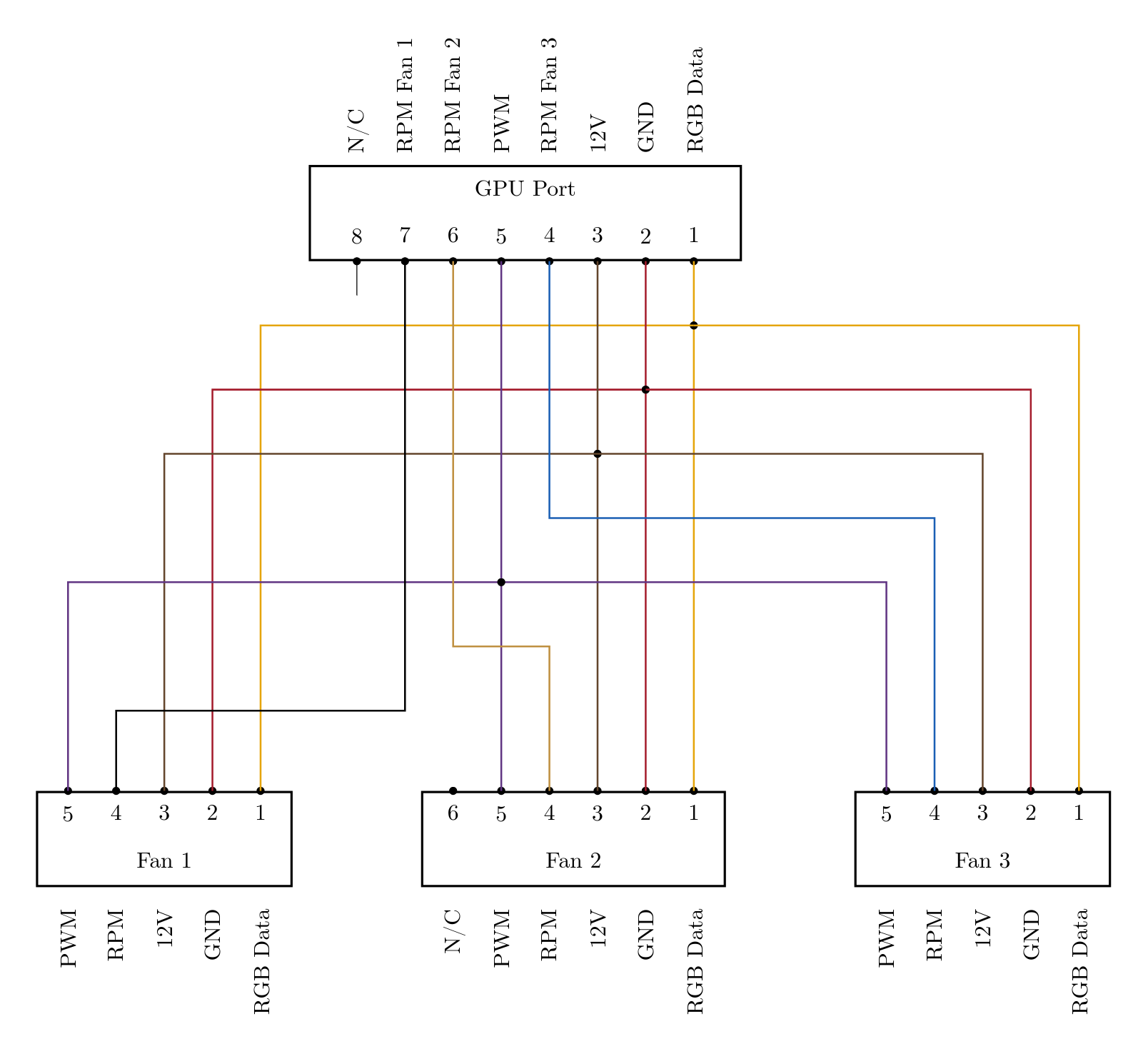
By using this header, the GPU still controls the fans. On the internet, there are only people connecting the fans to a external fan controller or to the mainboard.
If you don’t want to create the adapter cable yourself, china seems to sell some (2 fan adapter cable). With the above layout and a multi meter, it is possible to check if the cable is correctly wired.
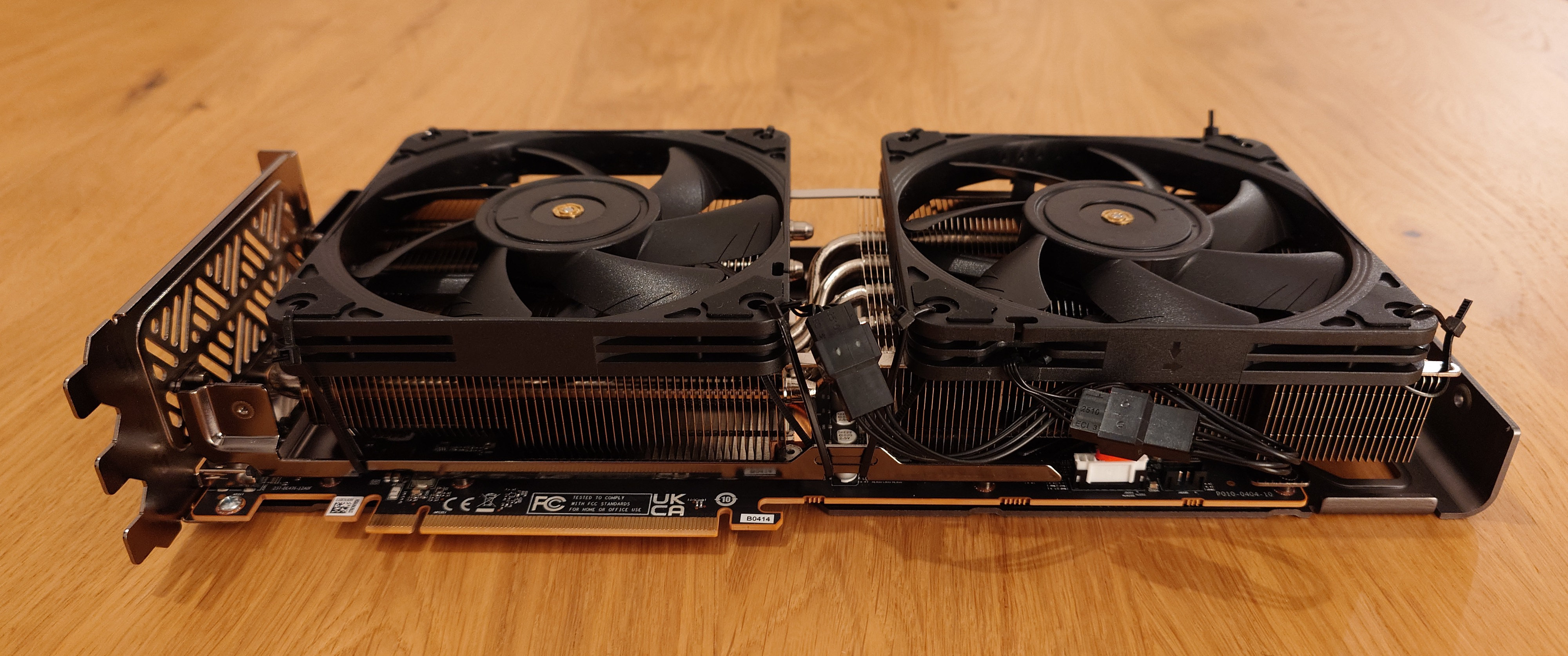
Deshrouded Sapphire AMD Radeon RX 7800 XT Nitro+
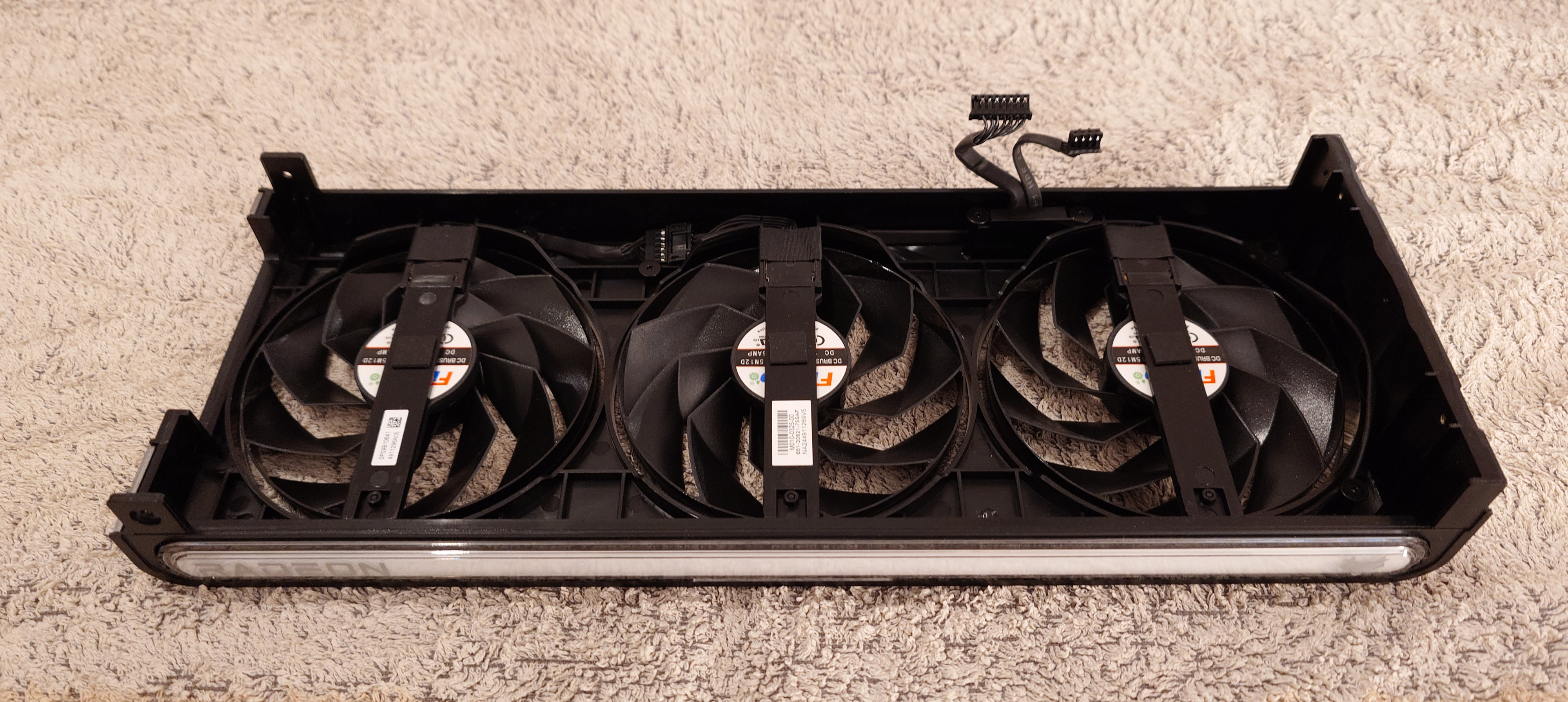
Fan cover. Left: 8-pin fan connector; right: RGB bar connector
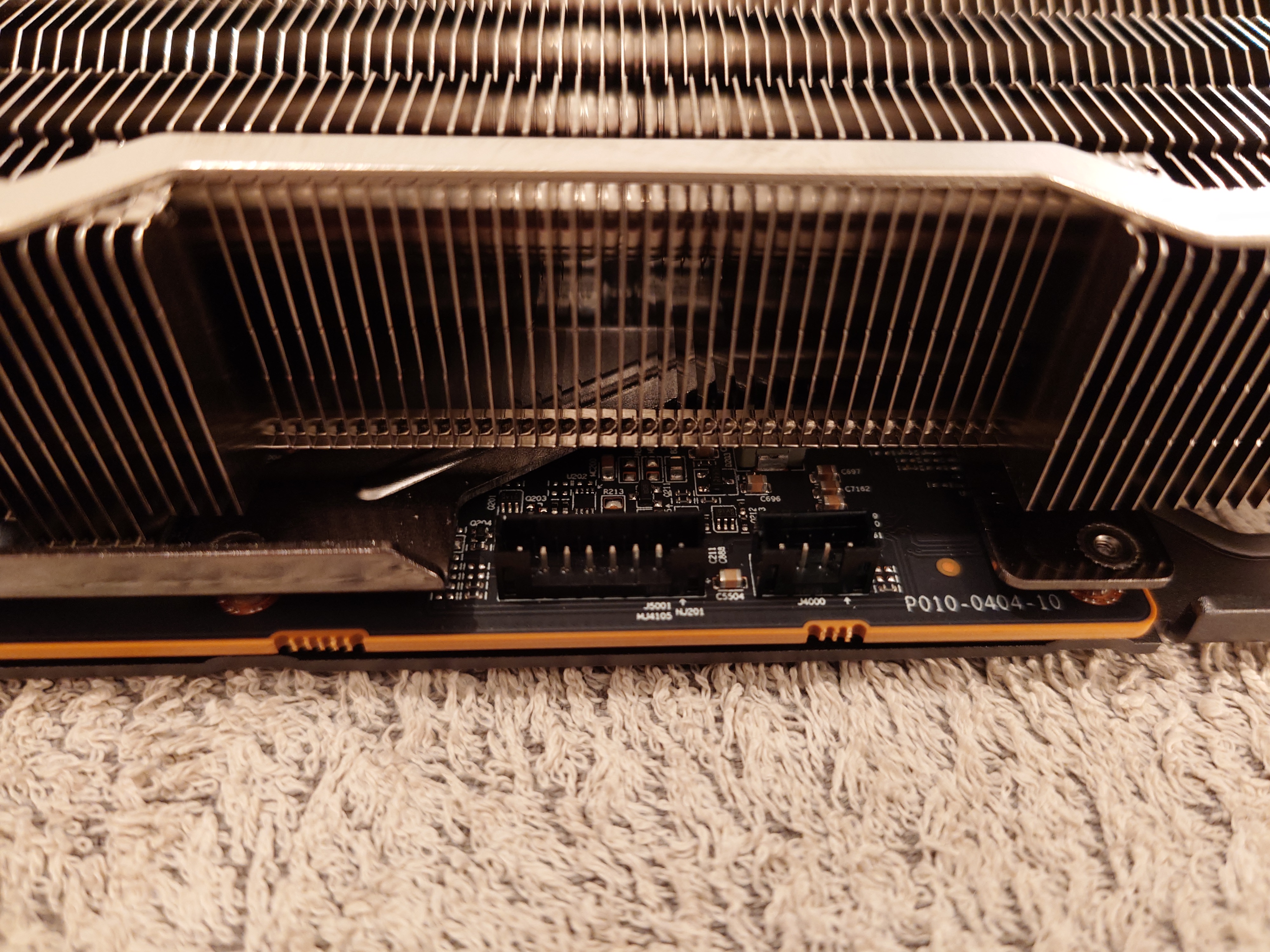
Left header: 8-pin fan header; right header: RGB bar header
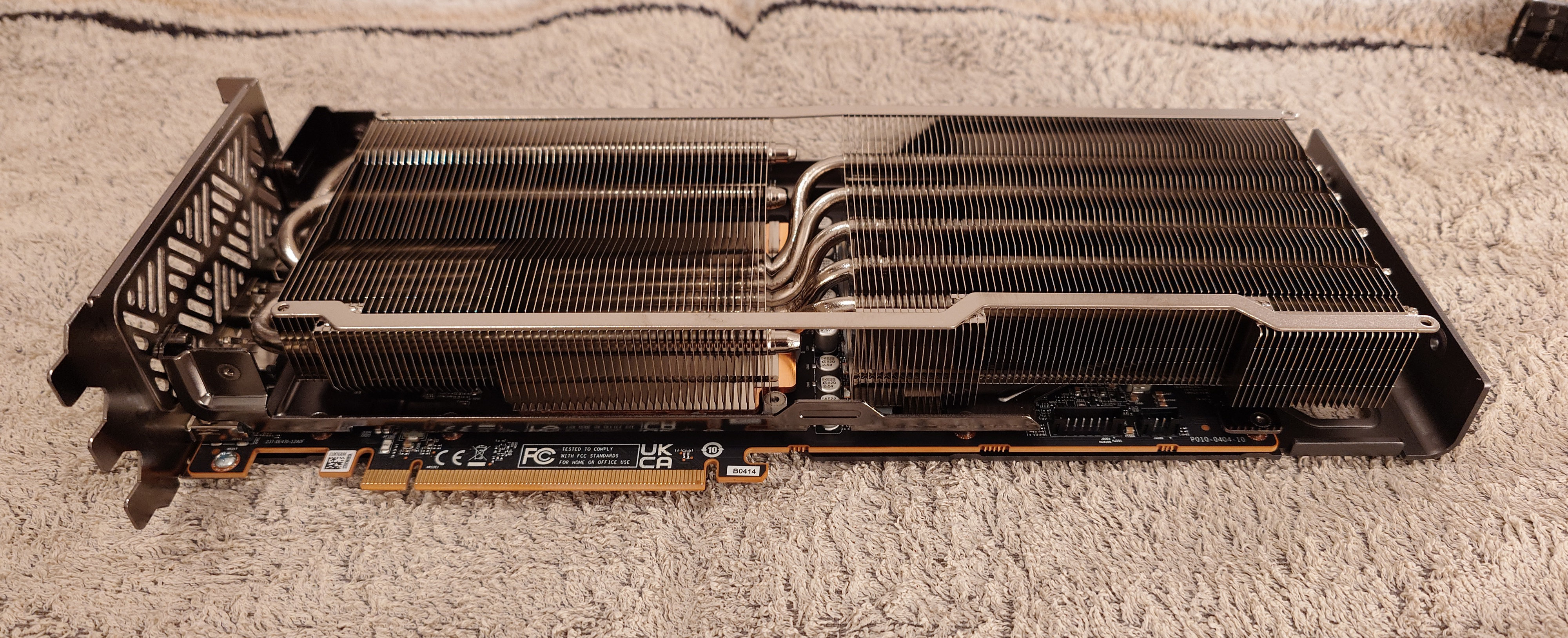
GPU with heatsink and header (bottom right)